To access the Marketing Pro tab, enable the permission Can access ServiceTitan Marketing Pro module.
Problem
My job title in ServiceTitan is Marketing Manager, but I do not have access to the Marketing Pro tab.
Solution
Ask your Admin to go to Settings
 > People > Employees.
Find the employee and click Edit.
Go to the Permissions section.
Find the permission Can access ServiceTitan Marketing Pro module and check the box for it.
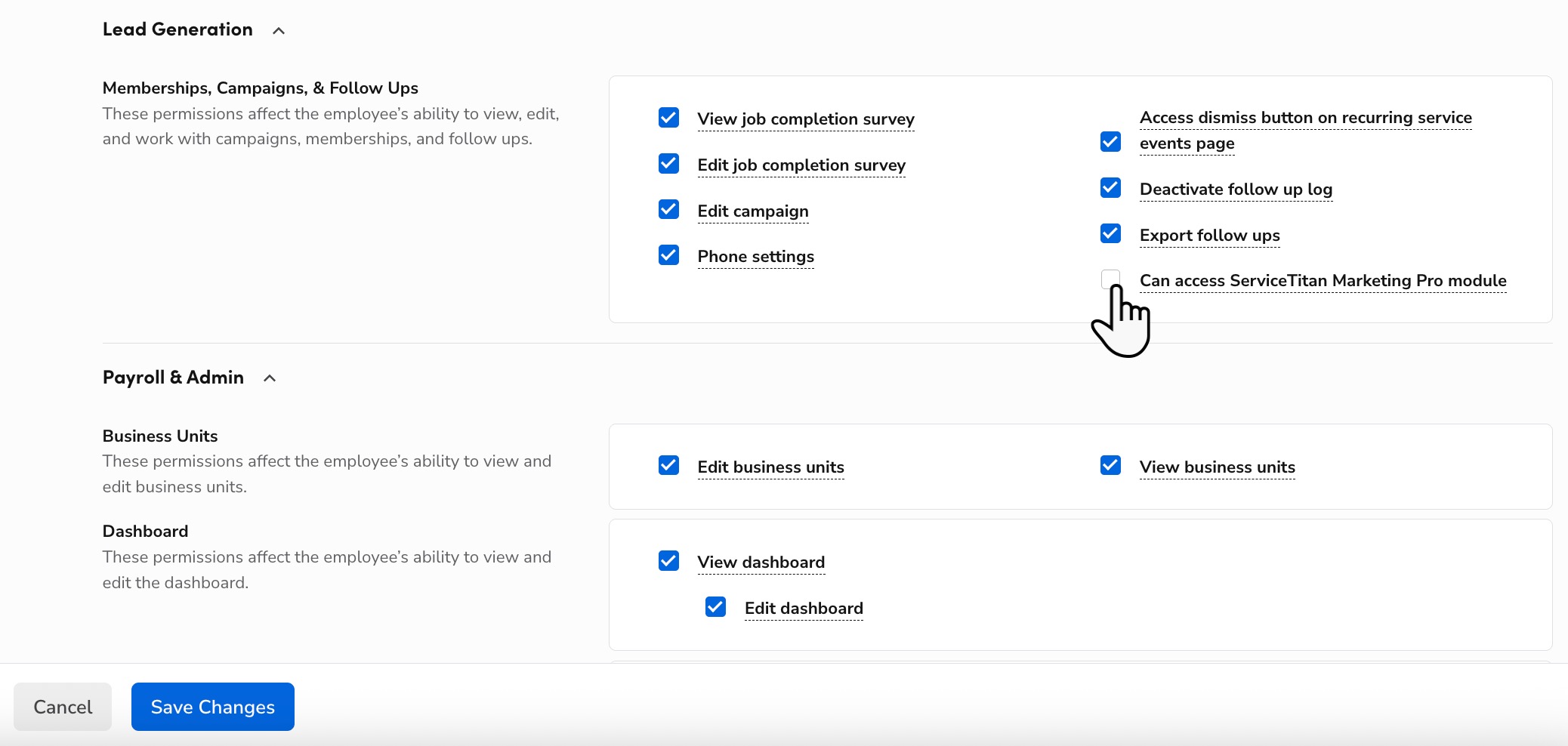
When finished, click Save.
Note: Your Company Position and Role are different settings. The Company Position can show Marketing Manager, but your Role controls your actual permissions. Only one role can be assigned per employee, but admins can add specific permissions, such as Marketing Pro access, to any role.